
Last Updated: November 17, 2026
Quick Summary
Couples can protect wedding photo privacy by setting clear rules before the day, telling the photographer and guests what to avoid posting, and keeping galleries private with restricted access and expiry dates. Sharing only a short public selection while the full set stays behind a password or link protects faces, addresses and candid moments.
- Put privacy rules in the photographer’s contract or booking notes so they are not left to memory.
- Send guests a short message asking them not to post pictures publicly before a set date.
- Keep the full gallery private and share only a small public selection of professional portraits.
- Turn off downloads or set a link expiry date, and test the settings from a private browser window.
- Unpublish public selections within three to six months and keep a private offline archive.
Table of Contents
- Why Wedding Photo Privacy Matters More Than Most Couples Expect
- Setting Expectations With Your Photographer, Guests and Family
- Private Versus Public Sharing: Deciding Who Sees What
- Writing Consent Wording Guests Will Actually Read
- Collecting Guest Photos Through QR Codes and Private Links
- Checking Gallery Access, Downloads and App Privacy Settings
- Security Risks and How to Reduce Them
- How Long to Keep Wedding Photos Online and When to Remove Them
- Booking Your Privacy Plan Before the Wedding Day
- Frequently Asked Questions
Wedding photos carry more personal detail than most couples realise. A single frame can show a home address on a place card, a child’s face, or a guest who never agreed to be online. The best time to protect those images is before the first guest picks up a camera. This guide covers the practical steps couples can take, from setting expectations to deciding how long photos stay online.
Why Wedding Photo Privacy Matters More Than Most Couples Expect
Wedding photo privacy means controlling who can see, save and share the images from your day. Most couples think about privacy only once the photos are already posted. By then, copies may already exist on several phones and accounts.
Several things make wedding photos sensitive:
- Faces of minors and family members who may not want public pictures
- Venue and address details visible in the background
- Candid moments that guests or partners would rather keep private
- Copies made by guests that you cannot recall once shared
The simplest approach is to decide your privacy rules early, then share them with everyone involved. A quiet decision now saves a difficult conversation later.
Setting Expectations With Your Photographer, Guests and Family
Good privacy starts with clear expectations. Tell your photographer which images must stay off social media, such as children, religious ceremonies or the couple’s home. Put this in the contract or booking notes so it is not left to memory.
Guests need a short, friendly message too. Many people post first and think later, so a reminder before the day works better than a correction after it. Family members often have their own boundaries, so ask older relatives and anyone with a sensitive situation what they are comfortable with.
A common mistake is assuming the photographer’s contract covers guests. It does not. Only you can set rules for what guests do with their own phones.
Private Versus Public Sharing: Deciding Who Sees What
Before you share anything, decide whether each photo set is private or public. Private sharing limits access to invited people, usually through a password-protected gallery or a link that only trusted guests receive. See secure ways to share wedding photos online for how these options work in practice. Public sharing puts images where anyone can find them, such as a public social media post or open website page.
Most couples use a mix. A short public selection of professional portraits works well, while the full gallery stays private. Here is a simple way to split them:
| Photo type | Suggested sharing | Why |
|---|---|---|
| Professional portraits | Public or semi-public | Showcases your photographer’s work |
| Ceremony and family group shots | Private gallery | Protects family members |
| Guest candids | Private, invited guests only | Guests may not want public posts |
| Images with children | Private, parents only | Protects minors |
Writing Consent Wording Guests Will Actually Read
Consent wording needs to be short, but it also needs to be a process, not a single sentence. Most privacy problems at weddings come from a missing step: nobody asked, nobody recorded the answer, and nobody followed up. A practical consent workflow has three stages, ask, record, honor, and each stage needs its own wording.
Stage 1: Ask before the day. Put one or two sentences in the invitation or a pre-wedding message. Say what you want, why, and what the guest should do instead of posting. Keep the tone warm; guests respond better to a reason than to a rule.
„We’re keeping our wedding photos private. Please don’t post your pictures publicly before [date]. Share them with us in our private album instead. Thanks for helping us protect the day.“
Add a second line for guests who want to opt out of being photographed at all: „If you’d rather not appear in photos, tell us or our photographer on the day, we’ll make sure you’re not included.“ This gives shy guests and anyone with a sensitive situation a clear, low-friction exit.
Stage 2: Record what people tell you. Consent that lives only in someone’s memory is not consent you can rely on. Keep a simple list, a spreadsheet or a note on your phone, with three columns: guest name, preference (no public posting / no photos at all / happy to share), and date confirmed. Ask your photographer to keep the same list for anyone who speaks to them directly. Before the wedding, send the combined list to the photographer so they know which faces to keep out of public selections.
Stage 3: Honor it after the day. When you curate the gallery, check the list before you post anything public. If a guest asked not to appear, exclude their candids from the public selection and keep them only in the private gallery, or remove them entirely if that was the request. If you later want to share an image that includes someone who opted out, ask them again; preferences can change, but the default is to respect the original answer.
Watch out: a guest who says „it’s fine“ in person may not have considered that the photo will stay online for years. When in doubt, default to the more private option and tell the guest you’ve done so, most people appreciate the caution.
For minors, the workflow is stricter. Ask a parent or guardian directly, record their answer, and keep images of children out of any public selection unless the parent has explicitly agreed in writing (a message or email is enough). Venue rules can also apply, some venues restrict photography in certain areas, so confirm with the venue coordinator and add any restrictions to the same list.
Collecting Guest Photos Through QR Codes and Private Links
Guest photo collection works well when it is private by design. A QR code printed on table cards or the welcome sign lets guests upload their photos to a private gallery. Only people with the link can see the album.
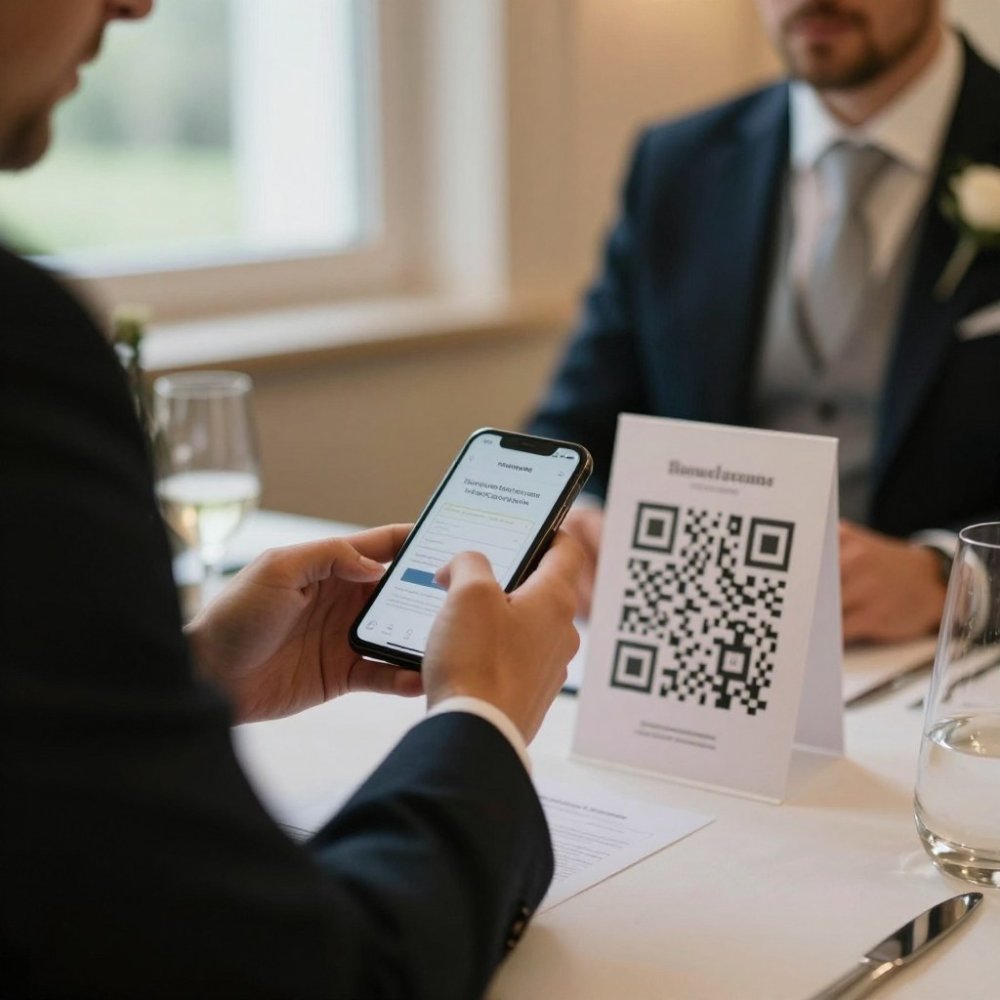
Set up collection in a few steps:
- Create a private album or upload link before the wedding. Follow this guide to creating a photo sharing link for events step by step.
- Print a QR code on table cards or near the guest book.
- Turn off public visibility so only your group can view the album.
- Test the link on your own phone before the day.
QR codes are not the only option. Compare QR code vs photo app for wedding photo collection to decide which approach suits your guests. Guests who prefer not to scan can use a short private link sent by message or email. Offer both so nobody is left out.
Checking Gallery Access, Downloads and App Privacy Settings
Gallery settings decide who can view, save and download images. Check these before anything goes live:
- Viewing: Limit access to invited guests or a password.
- Downloads: Turn downloads off if you want to control copies, or on if guests should keep their own images.
- Expiry: Some tools let you set a date when the link stops working.
- App permissions: Review what the app can access on guests‘ phones, such as contacts or location.
Test the settings from a second device or a private browser window. This shows what a guest without a login actually sees.
Security Risks and How to Reduce Them
Wedding photos can be exposed in several ways. A shared link can be forwarded to people you never invited. A guest’s phone can be lost or hacked. A platform can change its privacy rules.
Reduce the risk with these habits:
- Use strong, unique passwords for photo accounts. Read is cloud photo storage safe to understand the risks before choosing where to keep images.
- Turn on two-factor authentication where it is offered.
- Avoid sharing full-resolution files over open messaging apps.
- Remove access for people who no longer need it.
- Keep a private backup of the full gallery in a secure location you control.
Watch out: once an image is posted publicly, you cannot fully recall it. Treat the first upload as permanent.
How Long to Keep Wedding Photos Online and When to Remove Them
Retention is where most privacy plans quietly fail. Couples set a gallery live, forget the link, and find it still active years later. A workable plan covers four things: how long each gallery stays online, how links are revoked, how deletion requests are handled, and where the master copy lives.
Set a retention period per gallery, not per photo. A common pattern is:
- Public selection: 3-6 months, then unpublish. Public pages are the most likely to be indexed or copied, so they should have the shortest life.
- Private guest gallery: 6-12 months, then close to new viewers. Guests have had time to download what they want.
- Full archive: kept offline in a backup you control, not on a sharing platform.
Put the end date in your calendar at the same time you create the gallery. A reminder is the only reliable way to close a link you set up months earlier.
Revoke links, don’t just hide them. Turning off public visibility is not the same as revoking a link. If your gallery tool supports it, regenerate the share link or change the password when the retention period ends, this invalidates any copy of the old link that was forwarded. If the tool only lets you disable the gallery, disable it and confirm from a second device that the old link no longer loads.
Handle deletion requests with a written record. If a guest or family member asks for an image to be removed, confirm in writing what will be removed and by when. Remove it from every place you control, the public selection, the guest gallery, and any social posts, and note the date. You cannot remove copies other guests have already downloaded, so say so honestly rather than promising more than you can deliver.
Keep one master archive offline. Store the full-resolution set on an encrypted external drive or a private cloud account that only you and your partner can access. Do not rely on the sharing platform as your only copy, platforms change terms, and accounts can be closed. A simple rule: the gallery is for sharing, the archive is for keeping.
Watch out: „delete“ on a sharing platform often means „remove from view,“ not „erase from the provider’s servers.“ If a photo is genuinely sensitive, ask the provider how deletion works before you upload it, and consider keeping that image out of online galleries entirely.
Booking Your Privacy Plan Before the Wedding Day
A privacy plan works best when you write it down. Before the wedding, list who receives the gallery link, which photos stay private, and when public access ends. Share the plan with your photographer and the people who help with guest messages.
Book a short check-in with your photographer about two weeks before the day. Confirm the gallery is set up, the QR code works, and the consent message has gone out. A little planning now keeps your photos where you want them.
Frequently Asked Questions
How can couples share wedding photos privately with guests?
Use a private gallery that requires a link or password, and send that link only to invited guests. Choose a platform where you can turn downloads on or off, review who has access, and remove the gallery when you are finished. Tell guests in advance where photos will live so nobody is surprised. Avoid posting full gallery links on public social channels, since search engines and forwarded messages can expose them.
Should guests ask permission before posting wedding photos?
Guests who appear in a photo should be asked before it is posted publicly, especially on social media. Couples can ask guests to share photos only in the private gallery and to check with people in the picture before posting anywhere else. A short consent line on your invitation or in the gallery welcome message makes these expectations clear without awkward conversations on the day.
How long should a private wedding photo gallery stay online?
Many couples keep a private gallery online for a few months so guests can download their favourite images, then close or archive it. Before the gallery is removed, download and back up the full set to your own storage. Check the platform’s retention terms, because some services delete galleries automatically after a set period, and you may need to act sooner than you expect.