Table of Contents
- Why Photo Sharing Links Matter for Events
- How to Collect Photos from Guests at an Event
- Step-by-Step Guide to Setting Up Your Event Album
- Best Apps for Wedding Photo Collection
- GDPR Compliant Photo Sharing for Events
- Why Guests Should Skip App Downloads
- Managing and Storing Photos After Your Event
- Troubleshooting Common Guest Upload Issues
- Frequently Asked Questions
Last Updated: September 28, 2026
Why Photo Sharing Links Matter for Events
Most events still rely on social media or group chats. Photos scatter across Instagram, WhatsApp, and personal phones. Finding them later is a nightmare. A dedicated photo sharing link keeps everything organized in one secure location from the start.
How to Collect Photos from Guests at an Event
There are two main ways to get your photo sharing link in front of guests: direct links and QR codes. Each has strengths depending on your event type and guest mix.
Direct Link Distribution Methods
For best results, include clear instructions. Tell guests exactly what you want: „Share your photos here“ with the URL displayed prominently. A one-sentence explanation beats a paragraph of details.
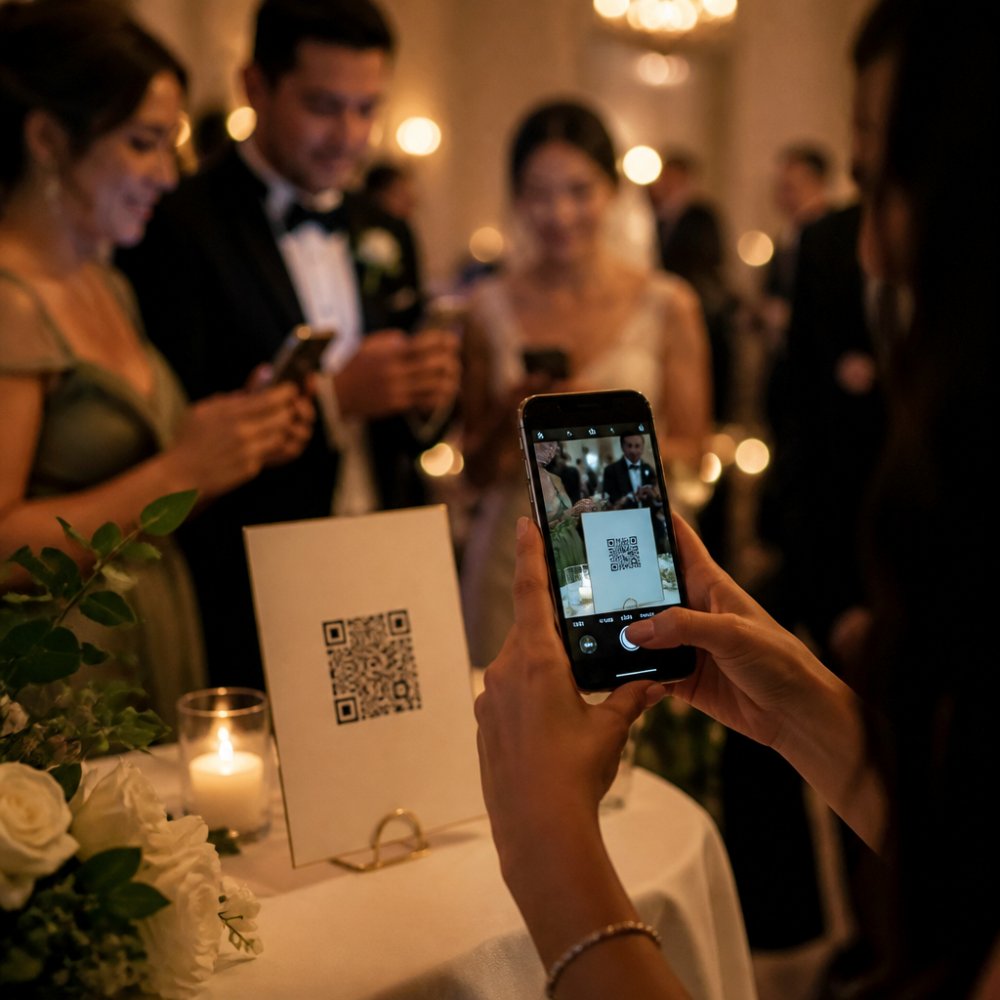
QR Code Setup for Table Cards and Signage
One common mistake: printing tiny QR codes that phones struggle to read. If a guest can’t scan it in three attempts, they give up. Size matters more than you think.
Step-by-Step Guide to Setting Up Your Event Album
Setting up a photo sharing link for events takes about 15 minutes. The process is straightforward: create the album, configure permissions, and test before guests arrive.
Creating the Album and Generating Your Link
Test the link yourself. Open it on your phone. Try uploading a test photo. Confirm the upload works and the photo appears in the album. This catches problems before guests try to use it.
Configuring Guest Upload Permissions
Consider whether to require guest names or email addresses. Collecting names helps you organize photos later. Some guests hesitate to share email addresses, though. Balance convenience with privacy preferences.
Testing Before Your Event
Create a backup plan. If the link fails during the event, you need an alternative. Keep a printed QR code for a second platform or a simple email address where guests can send photos.
Best Apps for Wedding Photo Collection
Choosing the right platform depends on your event size, technical comfort, and what you plan to do with photos afterward. Rather than chasing the latest SaaS tool, many photographers and event hosts find success with a hybrid approach: a simple cloud service for guest uploads, paired with desktop software for post-event curation and printing.
Cloud Services for Guest Uploads
For a more event-focused experience, dedicated gallery builders allow you to create a custom album page with your event name, date, and instructions. These platforms typically offer better organization tools (sorting by upload time, guest name, or location) and privacy controls (password protection, invite-only access, expiration dates). They’re ideal if you want guests to feel like they’re uploading to „your event“ rather than a generic cloud folder.
Desktop and Mobile Software for Organization
For photographers managing multiple events, a local backup strategy (external SSD + cloud redundancy) is more reliable than relying on a single platform. Platforms change terms, shut down, or lose data. Your photos are too valuable to depend on one service.
DIY vs. Dedicated: The Real Trade-Off
Many experienced event hosts use a two-tier system: a simple shared link (Google Photos or iCloud) for guest uploads during the event, then download everything within a week and import into Lightroom or a local archive for long-term storage and editing. This approach costs nothing, avoids platform dependency, and gives you professional-grade tools for the photos that matter most.
GDPR Compliant Photo Sharing for Events
If your event includes guests from or within the EU, GDPR applies. This regulation controls how you collect, store, and use personal data, including photos.
Data Privacy and Guest Consent
Store photos securely. Use platforms that encrypt data in transit and at rest. Avoid storing photos on personal cloud accounts or shared folders without encryption.
Managing Access Control and Secure Links
Document your process. Keep records of who uploaded photos, when, and what you did with them. This protects you if anyone questions your data handling later.
Why Guests Should Skip App Downloads
Guests also hesitate to give apps permission to access their photos, contacts, or location. A web link sidesteps these privacy concerns. Guests feel more comfortable uploading.
Managing and Storing Photos After Your Event
The moment guests stop uploading is when the real work begins. You now have hundreds of photos from different people, shot on different devices, with varying quality and composition. A thoughtful post-event workflow ensures you preserve the best moments, maintain access for years to come, and can print or share photos without losing quality.
Downloading and Verifying Your Photo Collection
This structure keeps raw files separate from edited versions, making it easy to return to originals if you need to re-edit later.
Metadata and Photo Organization
This makes searching for specific moments months or years later much faster. If you’re using Lightroom or similar software, add keywords and ratings as you review photos. Mark your favorites with a star rating (5 stars for keepers, 3 stars for good backups, 1 star for duplicates or out-of-focus shots).
Culling and Selecting Your Best Shots
If multiple guests photographed the same moment, compare them. One guest might have caught a better expression, another a better angle. Keep the strongest version and note the others as backups.
Color Correction and Print Preparation
Consider color profile. Most printing services expect sRGB color space. If you’re editing in Adobe RGB, convert to sRGB before sending to print. This prevents color shifts between your screen and the printed photo.
Long-Term Storage and Archival
Consider archival-grade storage for photos you want to preserve for decades. Archival SSDs and cloud services designed for long-term storage (like Backblaze or Glacier) are more expensive but offer better durability and data integrity guarantees than consumer-grade options.
Sharing and Printing Options
Consider creating a private online gallery for guests to download their own photos. Many photographers do this 2-3 weeks after the event, once editing is complete. Guests appreciate having high-quality versions they can print or share with family.
Troubleshooting Common Guest Upload Issues
Storage is full. If your platform has a limit, monitor it during the event. Some platforms auto-delete old uploads when storage is full. Warn guests if this might happen.
Frequently Asked Questions
Do guests need to download an app to upload photos to a photo sharing link for events?
No. The best platforms for event photo sharing use direct links that work through any web browser, no app download required. Guests simply scan a QR code or click a link, and they can upload instantly on mobile or desktop. This removes friction and increases participation rates significantly. Apps create barriers; browser-based upload is faster and more accessible for all age groups and technical abilities.
How do I ensure GDPR compliant photo sharing for events?
Choose platforms hosted on German or European servers with explicit GDPR compliance. Collect written consent from guests before sharing the upload link, clearly stating how photos will be stored and used. Use secure links with access control so only invited guests can view the gallery. Check the platform’s privacy policy for data retention periods and deletion options. Never share guest data with third parties without consent, and allow guests to delete their own photos if requested.
What’s the easiest way to share event photos with a large group?
Create a single photo sharing link and distribute it via email, SMS, or QR codes on printed table cards. QR codes are most effective at events because guests see them immediately and can upload in real time. A direct link works for pre-event invitations or post-event sharing. Cloud hosting ensures all photos are centralized and accessible to everyone instantly, eliminating the need to chase down files from individual guests or manage scattered uploads across WhatsApp or email.
How long are photos stored after my event ends?
Storage duration depends on your platform’s terms. Most services retain photos for 30 to 90 days by default, with options to extend or download everything before deletion. Check your chosen platform’s retention policy before the event. Download and back up important photos to your own cloud storage or external drive immediately after the event if long-term access is critical. Some platforms offer permanent private galleries for a fee; verify this before committing.
Creating a photo sharing link for events transforms how you collect memories. Guests get an easy way to contribute. You get organized, secure storage. The process takes minutes to set up but delivers hours of saved effort later.
Start with a simple approach: a direct link or QR code, basic privacy settings, and a clear download plan after the event. As you run more events, you’ll refine your process and discover what works best for your guests.