
Last Updated: October 24, 2026
Quick Summary
To inspect used camera sensor condition, shoot a plain white surface at f/16 to f/22, lowest base ISO, manual focus at infinity, then review the files at 100% on a computer. Repeat at f/8 and f/4: dust fades as the aperture opens, while scratches and dead pixels stay fixed in every frame.
- Small apertures like f/16 or f/22 make sensor dust and spots stand out as dark smudges.
- A mark that shifts between two frames a minute apart is loose dust, usually removable with a blower.
- A thin sharp line that stays in place at every aperture is a scratch on the cover glass.
- Shoot a dark frame with the lens cap on at base ISO and a 30-second exposure to count pixel faults.
- Never wet clean a camera you have not bought, or you may be held responsible for damage.
Table of Contents
- Why the Camera Sensor Decides a Used Camera’s Value
- What You’ll Need Before You Inspect Anything
- Step 1: Check Overall Condition and Exterior Wear
- Step 2: How to Test a Camera Sensor for Dust
- Step 3: Camera Sensor Dust Test Settings That Reveal Problems
- Step 4: Separating Dust, Scratches and Dead or Hot Pixels
- Step 5: How to Tell if a Camera Sensor Is Damaged
- Step 6: Test the Shutter, Exposure and Basic Camera Functions
- Step 7: Inspect the Lens, Mount and Alignment
- Step 8: Review the Camera’s History and Signs of Harsh Use
- Frequently Asked Questions
Why the Camera Sensor Decides a Used Camera’s Value
Learning how to inspect used camera sensor condition is the single most valuable skill in the secondhand market. A camera sensor is the light-capturing chip at the heart of every digital body, and its health decides whether a used camera is a bargain or a money pit. Before you commit, it helps to see a comparison of major used-gear marketplaces so you know where to buy with confidence. Scratches, dust, or dead pixels do not show up in a friendly listing photo.
Here is the uncomfortable truth most buyers learn too late: the sensor is the one part you cannot simply replace. A worn grip costs little to fix. A scratched sensor often means a new board, and that changes the math on the whole purchase.
That is why the checklist below walks you through eight checks in order, from the outside in. We will show you exactly how to test a camera sensor for dust with a repeatable procedure, then how to read the results.
What You’ll Need Before You Inspect Anything
Before you meet a seller, gather a small kit. None of it is expensive, and it turns a vague gut feeling into a real assessment.
- A charged battery for the camera you are viewing, or ask the seller to have one ready
- A lens you trust, ideally a clean prime
- A bright, plain surface such as a white wall or a sheet of paper
- A small torch or your phone light
- A laptop or tablet to review test images at full size
- A dust blower with a soft brush, never a cloth you would use on glasses
A common mistake is inspecting a camera in a dim café. You need strong, even light to see sensor dust and surface marks. Ask to meet somewhere bright, or bring your own lamp.
Step 1: Check Overall Condition and Exterior Wear
Start with your eyes, not the sensor. Exterior wear tells you how the camera was treated, and that story usually matches what you find inside.
Run your fingers along the edges. Look closely at these spots:
- Corners and base plate for dents and deep scuffs
- Rubber grips for looseness or shine from heavy use
- Screws for tool marks that hint at a repair
- Port covers and card doors for cracks or missing seals
- Light seals on older film bodies for crumbling foam
Heavy wear and tear on the outside is a warning, not a verdict. Some photographers baby their gear and still get dust inside. But deep dents near the mount deserve extra attention later.
Step 2: How to Test a Camera Sensor for Dust
The core question is simple: does the sensor have dust, spots, or marks that will show in your photos? Answer it with a controlled test shot, not a guess.
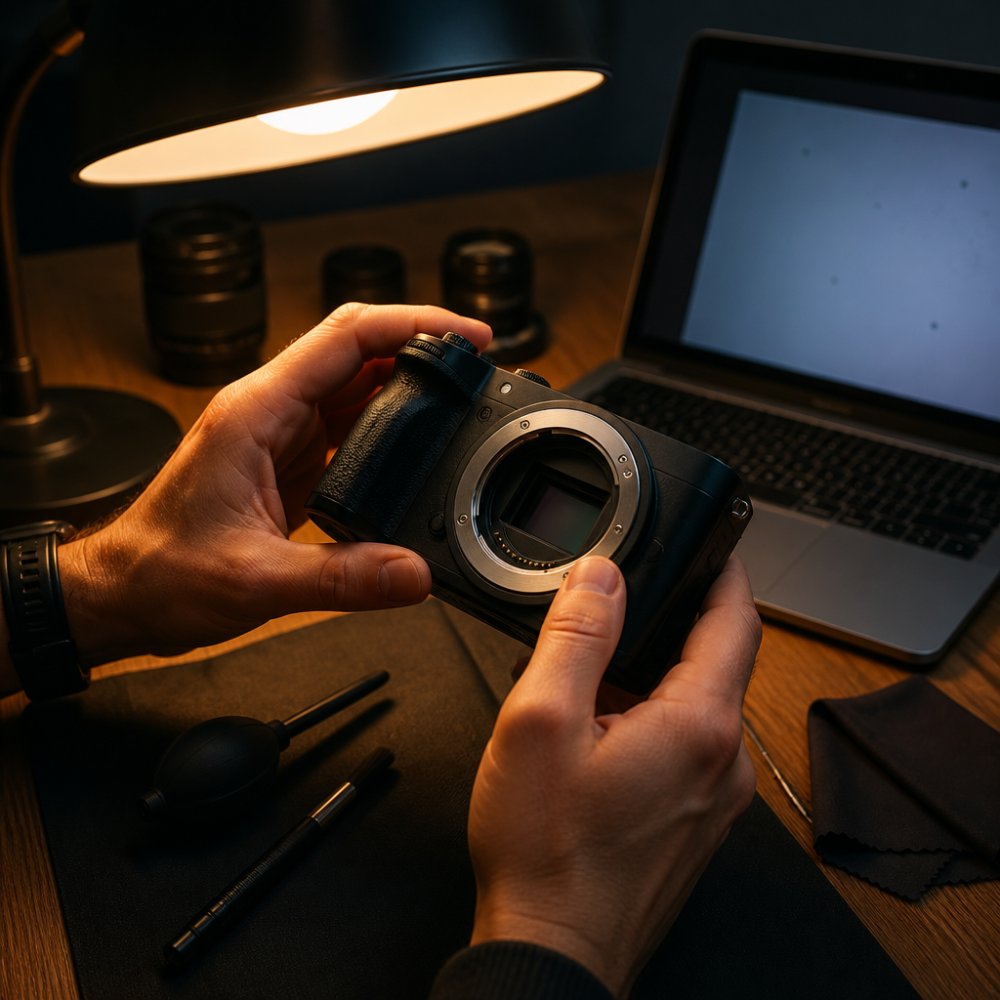
The Repeatable Test Shot Procedure
Follow the same steps every time so results are comparable:
- Set the lens to its smallest aperture, around f/16 or f/22
- Set ISO to its lowest base value
- Switch to manual focus and set focus to infinity
- Point the camera at a plain, evenly lit white surface
- Defocus slightly, then fire a shot
- Repeat at f/8 and at a wide aperture like f/4
- Open the files on a computer and review at 100%
Small apertures make sensor dust and spots stand out as dark smudges. Wide apertures hide them, which is why you shoot several settings and compare.
Inspecting Without Specialized Equipment
You do not need a loupe or a lab. A bright light and a careful eye cover most of it. Lock the mirror up or use the mirrorless sensor view, angle the body toward the light, and look across the sensor at a shallow angle. Internal dust and haze catch the light as tiny specks or a cloudy film.
Watch out: never touch the sensor with your fingers or a random cloth. You can add scratches that were not there before.
Step 3: Camera Sensor Dust Test Settings That Reveal Problems
The right settings turn a hidden defect into an obvious one. This is where most quick inspections fail.
Use this combination as your baseline:
| Setting | Value | Why It Matters |
|---|---|---|
| Aperture | f/16 to f/22 | Reveals dust and spots sharply |
| ISO | Lowest base | Keeps noise from masking defects |
| Focus | Manual, infinity | Removes subject blur |
| Target | Plain white surface | Shows marks against a clean frame |
| Review | 100% on computer | Catches small spots |
Then repeat at f/8 and f/4. A spot that appears only at f/22 is usually surface dust. A mark that stays put across every aperture is more serious and worth a closer look.
Step 4: Separating Dust, Scratches and Dead or Hot Pixels
Not every mark means the same thing, and the difference decides whether you negotiate, walk away, or shrug it off. The trick is to read each defect against three variables: its shape, whether it moves between shots, and how it responds to aperture. Use the test frames from Step 2 and Step 3 side by side.
Dust and spots
Dust on the sensor cover appears as soft, dark, slightly blurry smudges. They are rarely perfectly round and often have a faint halo. The tell is aperture dependence: a speck that is obvious at f/22 but nearly invisible at f/4 is almost certainly surface dust sitting a short distance above the sensor. Take two frames a minute apart without changing anything, if the smudge shifts position or shape, it is loose dust and usually removable with a blower.
Scratches
A scratch on the sensor cover is a thin, sharp line that stays in exactly the same place at every aperture and every focal length. It does not move between frames and does not respond to a blower. Because it sits on the cover glass rather than the sensor itself, it is permanent unless the cover is replaced. A single faint scratch may never show in normal photography; a cluster of lines crossing the frame center is a genuine bargaining point.
Dead pixels
A dead pixel is a single black dot that never changes, at any aperture, ISO, or exposure time. It is a failed photosite and cannot be cleaned away. One dead pixel in a 24-megapixel frame is common and usually invisible in prints; a cluster of them is a fault. Confirm by shooting a plain white surface at base ISO and reviewing at 100%, a dead pixel will sit in the same coordinate in every frame.
Hot pixels
Hot pixels are bright dots, often red, white, or blue, caused by charge leaking into a photosite. They multiply with long exposures and high ISO, so test at both: a hot pixel that appears only in a 30-second exposure is normal behavior on many bodies, while one that shows at 1/250 second and base ISO is a defect. Many cameras map out hot pixels automatically during long-exposure noise reduction, so switch that feature off before testing to see the raw behavior.
A quick decision table
| Finding | Shape | Moves between shots? | Aperture behavior | Typical verdict |
|---|---|---|---|---|
| Dust | Soft, blurry smudge | Often | Visible at f/16-f/22, fades wide open | Cleanable, low concern |
| Scratch | Thin sharp line | No | Constant at all apertures | Permanent, negotiate |
| Dead pixel | Single black dot | No | Constant | Fault if clustered |
| Hot pixel | Bright dot | No | Worse at long exposure/high ISO | Normal if only in long exposures |
Shoot one frame with the lens cap on at a 30-second exposure and base ISO. This dark frame isolates hot and dead pixels from scene detail and makes them easy to count.
If a finding is ambiguous, repeat the test at a different focal length. Dust and scratches stay put relative to the frame; some lens artifacts and scene detail do not. That single comparison separates sensor problems from everything else.
Step 5: How to Tell if a Camera Sensor Is Damaged
Damage is not the same as dirt. The goal of this step is to decide whether a mark is removable contamination, a permanent sensor fault, or something that only looks like damage. Work through the evidence in order rather than jumping to a verdict.
The confirmation sequence
- Repeat the test shot at f/16 on a plain white surface, then again at f/8 and f/4. A mark that shrinks or disappears as the aperture opens is contamination near the sensor surface, not damage.
- Take two frames a minute apart without moving the camera. If the mark moves, it is loose dust.
- Use a blower only, never a cloth, brush, or compressed air, and re-shoot. If the mark is gone, it was dust. If it remains unchanged, continue.
- Shoot a dark frame with the lens cap on at base ISO and a 30-second exposure. Fixed bright or black dots here are pixel faults, not surface marks.
- Compare across focal lengths. A mark that stays in the same frame position at 24mm and 70mm is on the sensor; a mark that moves with the lens is in the lens.
What genuine damage looks like
- Persistent lines or bands across the frame that survive a blower and appear at every aperture
- A cloudy film or residue that does not shift after blowing, often dried cleaning fluid or lubricant migration
- Fixed dark patches in the same coordinate across all settings
- A color cast confined to one corner, which can indicate cover-glass or filter-stack damage
- A repeating pattern of dots or lines, which is rare on a used body but points to a factory defect or board fault
What is usually not damage
Most marks that alarm buyers are ordinary contamination. Surface dust, pollen, and tiny fibers are common on any camera that has had its lens changed outdoors, and a professional wet clean resolves them. A faint scratch on the cover glass may never appear in real photographs. A single hot pixel in a long exposure is within normal behavior for many sensors.
Do not attempt a wet clean yourself on a camera you have not yet bought. If you introduce a scratch or leave residue, you may be held responsible for the damage. Ask the seller to have it cleaned at a repair shop, or factor a cleaning into your offer.
How findings should change your decision
Treat the sensor finding as a line item in the negotiation, not a pass/fail gate. Removable dust is a reason to ask for a cleaning or a small reduction. A confirmed scratch, residue that will not lift, or a cluster of dead pixels is a reason to walk away unless the price reflects a cover-glass or sensor replacement. Ask the seller for the most recent service record and whether the sensor has ever been cleaned professionally, a documented clean is a better sign than a spotless sensor with no history.
If you cannot inspect in person, ask for a set of test frames shot to the procedure in Step 2, at f/22, f/8, and f/4, plus a dark frame. Review them at 100% before you commit. A seller who will not provide them is telling you something.
Step 6: Test the Shutter, Exposure and Basic Camera Functions
A clean sensor means little if the shutter or meter is failing. Fire a burst and watch how the camera behaves.
Check these functions:
- Shutter: fire at several speeds and listen for a consistent sound
- Exposure: shoot the same scene at different settings and confirm the meter responds
- Autofocus: test single and continuous modes
- Buttons and dials: press every one
- Screen and viewfinder: look for cracks or dead zones
- Card slot: insert and remove a card
Ask the seller for the shutter count. It is a rough guide to how much life the mechanism has left. Our guide on how to check shutter count on used cameras walks through the exact steps.
Step 7: Inspect the Lens, Mount and Alignment
The lens and mount affect what reaches the sensor, so inspect them together. A bent mount can throw off alignment and soften every image.
Look for:
- Mount play: the lens should lock tight with no wobble
- Mount screws: check for stripped heads or missing screws
- Lens glass: shine a light through it and look for internal dust, haze, or fungus
- Fungus: thin, branching threads that spread and etch the glass
A cloudy pattern inside a lens is a classic sign of fungus, and it can spread to other gear. Our guide on signs of fungus in vintage camera lenses shows what to look for. For a full set of criteria, read what to look for in used lenses.
Step 8: Review the Camera’s History and Signs of Harsh Use
A camera’s past explains its present. Ask direct questions and match the answers to what you see.
Signs of harsh use include:
- Heavy brassing on the edges
- A scratched base plate from rough surfaces
- Missing or replaced parts
- A seller who avoids questions about repairs
Ask how the camera was stored, whether it was ever dropped, and if it has been serviced. A used mirrorless camera inspection checklist should always include these questions. If you are buying remotely, our guide on buying used cameras from online portals covers how to verify seller claims before you pay.
Frequently Asked Questions
How do you check a used camera sensor for dust before buying?
Take a test shot at the smallest aperture your lens offers (f/16 or f/22), pointed at a plain bright surface such as a white wall or clear sky, with the lens defocused. Review the frame on a computer at full size, not on the camera screen. Dark, soft-edged spots that stay in the same position across two shots are almost always sensor dust. This camera sensor check takes under five minutes and works on any secondhand camera you are considering.
What camera sensor dust test settings should I use?
Set ISO to its lowest native value, switch to aperture priority or manual mode, and stop the lens down to f/16 or f/22. Defocus the lens manually so the frame is a smooth blur, then fire at a plain bright surface. Use RAW or the highest-quality JPEG so you can inspect the file on a computer. Repeat the shot at a wide aperture like f/4 to see how much the spots soften, which helps confirm they sit on the sensor rather than the lens.
How can you tell whether spots are on the sensor or the lens?
Change lenses and shoot the same plain surface again. If the spots stay in exactly the same place in the frame, they are on the camera sensor. If they move or disappear, the dust was on the lens. You can also stop the lens down: lens dust usually softens or vanishes at wide apertures, while sensor dust stays visible and sharp-edged at small apertures. A quick visual check of the lens with a bright light confirms it.
Can sensor dust be removed from a camera, and does it affect the price?
Yes, most sensor dust can be removed with a blower or a wet clean, and many camera shops offer this as a service. Light dust is common on used bodies and is rarely a reason to walk away. What matters is whether the spots are dust or something worse, like scratches on the sensor cover glass or a failing sensor. If a repeatable test shows marks that do not shift after a blower, factor a professional clean into your offer or ask the seller to have it done before you buy.
The challenge is simple: most sellers will not hand you a clean test shot, and a quick glance never tells the whole story. At Kameratalk, we built our community around exactly this kind of careful, honest gear advice. Our platform gives you a place to compare notes, share test images, and learn from other photographers before you spend. Start for free and inspect your next camera with confidence.