Table of Contents
- Digital vs Physical Photos: The Core Trade-Off
- Why Physical Prints Still Matter
- The Case for Digital Photo Collections
- How to Digitize Old Photos Without Losing Quality
- Digital Photo Backup Best Practices
- Physical Photo Storage Tips for Long-Term Preservation
- Best Way to Organize a Photo Collection Across Both Formats
- Privacy and Security: A Critical Difference
- The Hybrid Approach: Combining Digital and Physical
- Frequently Asked Questions
Last Updated: October 9, 2026
Digital vs Physical Photos: The Core Trade-Off
The choice between digital and physical photos isn’t really about technology. It’s about what you value: convenience or permanence, sharing or keeping, screens or walls.
Photographers often ask: should I print my best shots, or keep everything digital? The honest answer is that both have real strengths. Neither is objectively better. What matters is matching your format to how you actually use your photos.
Physical prints feel different in your hands. They sit on shelves. They fade slowly over decades, which some people find beautiful. Digital images live on devices and in clouds. They’re easy to share, edit, and back up. But they require electricity and passwords to access.
The real question isn’t which format wins. It’s which one fits your life better, and whether you need both.
Digital vs physical photos solve different problems. Digital excels at preservation and sharing. Physical prints excel at presence and emotion. Most serious photographers use both.
Why Physical Prints Still Matter
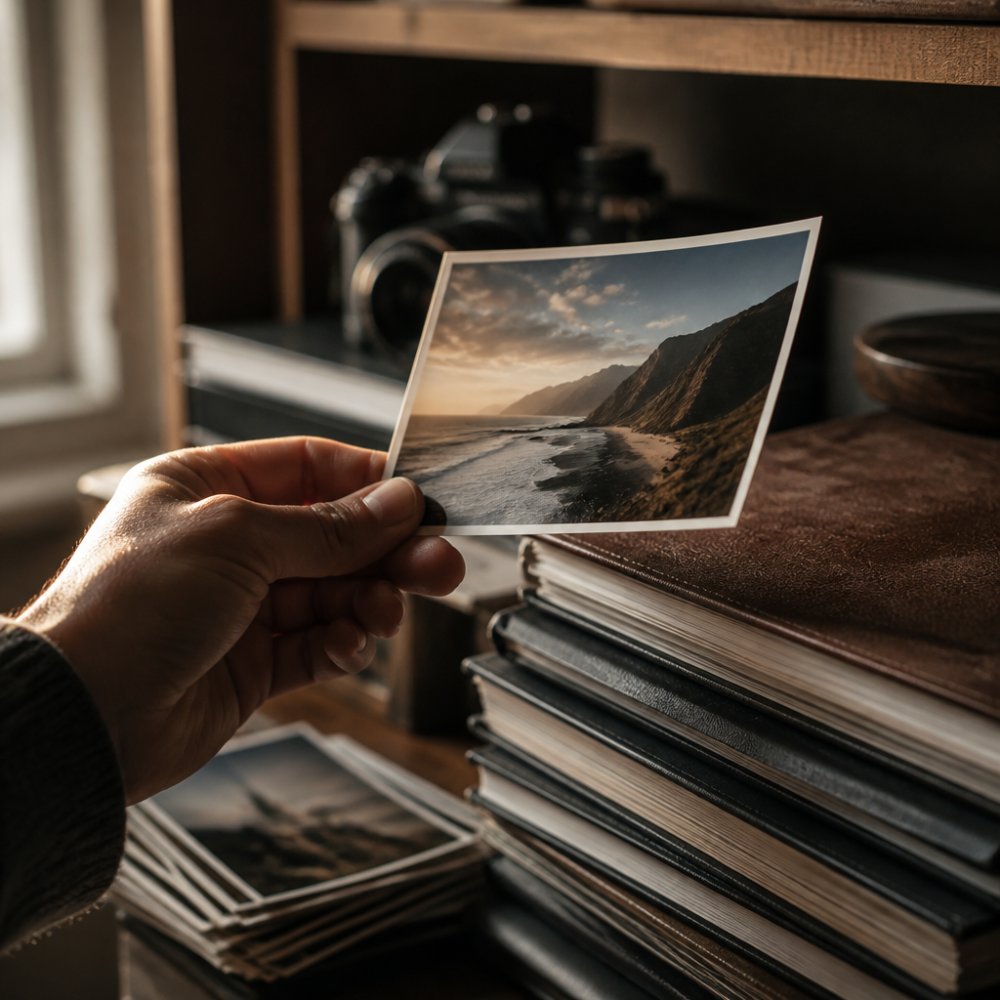
Physical prints have one advantage that digital files can never match: they exist without electricity.
That sounds simple. But it changes everything about how you experience a photo. You can hold it. You can hang it on a wall where you see it every morning. You can put it in an album and flip through pages without unlocking anything. Your grandmother can look at a print without downloading an app.
Physical prints also force a decision. You can’t print 10,000 photos. You print maybe 50 or 100. That filtering process, choosing which moments matter enough to print, often makes you appreciate the images more deeply.
Print quality, when done right, is stunning. A professional lab print on archival paper lasts 70+ years without fading. The colors are richer than what most screens can display. The texture matters. People notice.
There’s also the emotional weight. A printed photo is a commitment. It says: „This moment mattered enough to spend money on it. Enough to hang it up. Enough to keep it safe.“
Digital photos feel temporary by comparison. They’re easy to delete. Easy to forget. Easy to leave sitting in a folder you never open.
Print your 20 best photos each year. Display them. The act of curating forces you to remember what actually mattered to you.
The Case for Digital Photo Collections
Digital images solve the problem physical prints create: storage, sharing, and access.
A digital photo collection can hold thousands of images. You can search by date, location, or keyword. You can share a photo with a friend in seconds. You can edit it without destroying the original. You can back it up to multiple places so it survives hard drive failures.
Digital also removes the printing decision. You can shoot freely, knowing you don’t have to curate thousands of images down to a printable few. That freedom changes how you photograph. You take more risks. You experiment more.
Sharing digital photos is effortless. A family photo collection can live in a shared cloud folder. Relatives on three continents can access the same images. No scanning. No mailing prints. No waiting.
Digital images are also searchable. Need a photo from your 2023 vacation? Search „beach“ and there it is. Try finding a specific printed photo from a box of 500 prints. You can’t. You’ll flip through every one.
The downside is that digital collections require maintenance. You need to back them up. You need to organize them. You need to keep paying for cloud storage. And you need to trust that your photos will survive the technology changes coming over the next decade.
How to Digitize Old Photos Without Losing Quality
Digitizing old prints is one of the smartest things you can do. Once scanned, those photos are safe from damage and loss.
Start with a good scanner. A basic flatbed scanner works fine for most prints. Aim for at least 600 DPI (dots per inch) resolution. This captures enough detail to print the digital image later if you want to.
Clean each print gently before scanning. Dust and fingerprints show up in the scan. Use a soft brush or microfiber cloth.
Scan in color, even if the original is black and white. Color scanning captures more detail. You can convert to black and white later if needed.
Organize as you scan. Create folders by year or event. Name files clearly: „2005_beach_vacation_03.jpg“ beats „scan_001.jpg“. You’ll thank yourself later when searching.
Consider hiring a professional scanning service for valuable or fragile photos. They have better equipment and handle originals carefully. The cost is worth it for irreplaceable images.
Never discard the original prints after scanning. Scans can be lost or corrupted. Keep originals as backup, stored in a cool, dry place.
Digital Photo Backup Best Practices
A digital photo collection with no backup is a disaster waiting to happen. Hard drives fail. Devices get lost. Cloud accounts get hacked.
The best approach is the 3-2-1 backup rule: keep three copies of your photos, on two different types of storage, with one copy offsite.
Example setup:
- Copy 1: Your main computer or external hard drive
- Copy 2: A second external hard drive you keep at home
- Copy 3: Cloud storage (offsite)
Automate your backups. Manual backups work until you forget to do them. Use backup software that runs automatically. Most cloud services (Google Photos, Amazon Photos, iCloud) offer automatic backup options.
Test your backups regularly. Download a few photos from your backup to confirm they work. A backup that’s never been tested is just a hope.
For irreplaceable photos, consider multiple cloud services. If one service has a security breach or goes out of business, your photos survive elsewhere.
Store backup hard drives in different locations. If your house floods, a backup in the basement won’t help. Keep one copy at a friend’s house or in a safe deposit box.
Physical Photo Storage Tips for Long-Term Preservation
Printed photos can last 70+ years if stored properly. Most don’t, because they’re kept in basements and attics where temperature and humidity fluctuate wildly.
Store prints in a cool, dry place. Ideal conditions are 15-21°C and 30-40% humidity. Basements and attics are terrible. A bedroom closet is better. A climate-controlled storage unit is best.
Use archival-quality storage materials. Regular cardboard boxes and plastic sleeves degrade photos over time. Acid-free boxes and sleeves cost a bit more but preserve photos for decades.
Organize prints in albums or storage boxes. Loose photos in a drawer get bent, creased, and damaged. Albums protect them and make them easy to browse.
Avoid rubber bands and paper clips. They leave marks and damage photo edges. Use acid-free sleeves or folders instead.
Don’t write on the back of prints with ballpoint pens. The pressure leaves indentations on the photo. Use pencil instead, or write on the back of the sleeve.
Keep prints away from direct sunlight. UV light fades colors over time. Hang prints in places where they get indirect light.
Best Way to Organize a Photo Collection Across Both Formats
Many photographers use both digital and physical photos, organizing them together.
Start with digital as your primary archive. Digital is easier to organize, search, and back up. Create a folder structure by year, then by month or event:
2026/
2026_01_vacation/
2026_03_family_gathering/
2026_06_wedding/
Name files clearly so you can search them later. Include the date: „2026_06_wedding_ceremony_01.jpg“.
Tag photos with keywords in your photo management software. Add tags like „family,“ „beach,“ „sunset,“ „portrait.“ Tagging takes time upfront but saves hours later when searching.
Print your best photos. The top 1-2% of your digital collection. These become your physical archive.
Store printed photos in albums organized by year or theme. Keep a digital copy of every printed photo. If a print gets damaged, you can print a new one.
Use cloud backup for your entire digital collection. Use local backups for redundancy. Keep original prints in archival storage.
This hybrid approach gives you the best of both: digital searchability and backup protection, plus the physical presence and emotional connection of printed photos.
Review and organize your photos once a year. Delete duplicates and blurry shots. Print your favorites. This annual practice keeps both collections manageable.
Privacy and Security: A Critical Difference
Digital photo collections introduce privacy risks that physical prints don’t have.
Cloud storage services can be hacked. Data breaches expose photos to unauthorized access. Even legitimate cloud services collect metadata about your photos: when they were taken, where, what’s in them. Some services use this data for advertising.
Physical prints have no privacy risk beyond someone physically accessing them. They can’t be hacked remotely. No one can spy on them through the internet.
If privacy is important to you, keep sensitive photos offline. Store them on an external hard drive that stays disconnected from the internet. Back up that drive to another external drive, also offline.
Use encryption for cloud backups. Many cloud services offer encrypted storage, but verify they actually encrypt before uploading.
Consider where your cloud provider is based. Different countries have different data privacy laws. German services (like some regional providers) often have stricter privacy protections than US-based services. Data Protection Laws in Germany
Never store irreplaceable or highly sensitive photos in a single cloud account. Use multiple services. If one is compromised, your photos survive elsewhere.
The Hybrid Approach: Combining Digital and Physical
The smartest photographers don’t choose between digital and physical. They use both, strategically.
Digital photos are your working archive. You shoot, edit, organize, and search them digitally. You back them up multiple times. You can access them anywhere, anytime.
Physical prints are your emotional archive. You print your favorites and display them. You put them in albums. You give them to family and friends. You hold them in your hands.
This hybrid approach combines the strengths of both formats:
- Digital gives you searchability, backup, and sharing
- Physical gives you permanence, presence, and emotional connection
- Together, they ensure your memories survive in multiple formats
Start by building a strong digital archive. Organize it well. Back it up properly. Then print your best work. Display it. Share it. Build a physical collection alongside your digital one.
Most people skip the printing step. They think digital is enough. Then years later, they realize they’ve never actually seen their photos printed. They’ve never shared them with family. They’ve never experienced the photos they care about most.
The hybrid approach fixes this. It forces you to curate. It gives you both convenience and meaning.
The choice between digital and physical photos isn’t really a choice. It’s a question of what your photos are for. If they’re for preservation and sharing, digital wins. If they’re for display and memory, physical wins. If they’re for both, you need both. Building a strong digital archive with multiple backups, then printing your 20-50 best photos each year, can give you the best of both worlds: security and presence, searchability and emotion, convenience and meaning.
Frequently Asked Questions
Are digital photos better than physical photos?
Neither format is universally better, it depends on your priorities. Digital photos offer convenience, instant sharing, and easy backup. Physical prints provide tangible keepsakes, no battery dependency, and a tactile connection to memories. Many photographers find value in maintaining both: digital for accessibility and archiving, physical prints for display and emotional presence. The choice reflects how you want to interact with and preserve your memories.
How do you back up a digital photo collection effectively?
Use the 3-2-1 backup rule: keep three copies of your photos (original plus two backups), on two different storage types (external hard drive and cloud storage), with one copy stored offsite. Cloud services with automatic syncing ensure continuous protection. Local backup to an external hard drive provides fast access without relying on internet speed. Offsite storage protects against theft or disaster. Check backup integrity quarterly and test recovery procedures annually to confirm data is actually retrievable.
Should you keep physical photos after scanning them?
Yes, unless storage space is critical. Scans, even high-resolution ones, can degrade or become inaccessible as file formats change. Original prints serve as archival backup and preserve physical qualities, texture, color gradation, and aging characteristics, that digital reproduction cannot fully capture. Deteriorating originals should be scanned before they’re lost entirely, but keeping originals alongside scans provides redundancy. Store originals in acid-free sleeves in a cool, dry place away from light.
What is the best way to preserve a photo collection long-term?
Use a hybrid preservation strategy: digitize important prints at high resolution (at least 300 DPI), store originals in archival-quality sleeves away from light and moisture, and maintain multiple digital backups using the 3-2-1 method. Organize both formats consistently so you know which digital files correspond to which prints. Periodically review storage media, old hard drives fail, cloud services shut down, and migrate files to current formats. Document photo details (date, location, people) before memories fade, as metadata is as important as the image itself.