Table of Contents
- What Private Photo Gallery Software Actually Does
- How Guest Experience Shapes the Decision
- GDPR Compliance for Wedding Photo Sharing
- Storage, Upload Limits, and Real-World Performance
- Cost-Benefit Analysis of Professional Photo Galleries
- Best Private Photo Gallery Software for Photographers
- Social Sharing, Bulk Download, and Integration
- The Real Verdict: Who Should Actually Use It
- Frequently Asked Questions
Last Updated: September 25, 2026
What Private Photo Gallery Software Actually Does
Private photo gallery software lets guests upload photos directly to a shared, secure space without needing a separate app or complicated login process. Most platforms work via a simple link or QR code that guests scan during or after your event. The photos then live in one centralized location instead of scattered across WhatsApp, Instagram, and individual phones.
The core appeal is straightforward: you get a complete visual record of your wedding from multiple perspectives and devices, all in one place. But whether it’s actually worth the investment depends on several factors that most couples overlook until it’s too late.
This guide breaks down the real tradeoffs, the hidden costs, and which couples should actually invest in this technology.
How Guest Experience Shapes the Decision
The biggest predictor of whether a private photo gallery succeeds isn’t the software features, it’s how easily your guests can actually use it. A platform with perfect image quality and unlimited storage is worthless if half your guests never figure out how to upload.
Friction Points That Kill Guest Participation
Most guests won’t download an app for a one-time event. They’ll forget the login. They’ll take photos but never remember to upload them. These aren’t failures of your guests, they’re failures of the platform design.
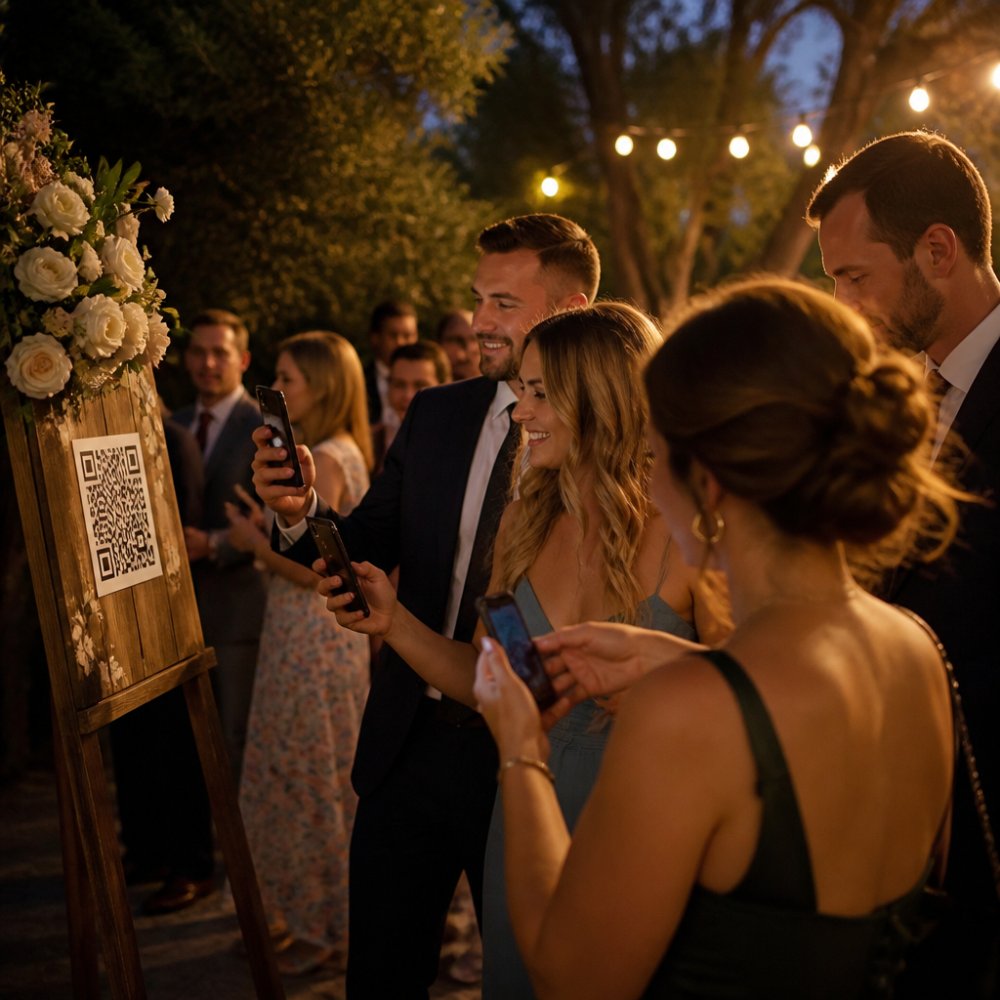
The platforms that work best remove every possible barrier. No app required. No account creation. A single QR code or link that works on any phone, any browser, any operating system. Guests scan, upload, done. That’s the difference between 40% of your photos actually making it into the gallery versus 80%.
Common friction points include platforms that require email verification before uploading (guests skip this), apps that timeout after 10 minutes of inactivity (guests get frustrated), and galleries that compress photos too aggressively (guests see their uploads look worse than the originals). Each of these small annoyances compounds.
The best platforms also handle poor connectivity gracefully. Your reception might have spotty WiFi. A good gallery lets guests queue photos for upload and syncs them once the connection improves, rather than failing silently or forcing them to retry.
Mobile App vs. Link-Based Access
This choice matters more than most couples realize.
Link-based access (scan QR code, upload instantly) wins for guest participation. No friction. No installation. No learning curve. Guests who are already holding their phones out taking photos can upload in under 30 seconds.
App-based galleries make sense only if you’re willing to actively push your guests to download beforehand, sending reminders, including the app link in your invitations, and accepting that some people still won’t do it. Apps do offer advantages (better offline support, faster uploads, persistent notifications), but those benefits only matter if guests actually install them.
For weddings specifically, link-based wins almost every time. You’re asking people to participate in your event, not adopt a new service.
GDPR Compliance for Wedding Photo Sharing
If you’re hosting a wedding in Germany or inviting guests from Germany, GDPR compliance isn’t optional, it’s the legal baseline. Many couples don’t realize that sharing photos of people without clear consent violates data protection law, even if those photos were taken at your own wedding.
Private photo galleries create a GDPR-compliant framework by giving guests control over their own contributions and letting you document consent. But not all platforms handle this correctly.
Data Ownership and Server Location
The first question to ask any platform: where are the servers? If your photos live on servers in the United States, you’re subject to US law and US government data access requests, even if you’re German. That’s not theoretical. It’s a real compliance gap that many couples don’t consider until after they’ve uploaded hundreds of photos.
Platforms with European servers (particularly Germany-based infrastructure) offer stronger legal protection under GDPR. Your photos stay within the EU, subject to EU law, not US law.
Data ownership is the second question. Who owns the photos your guests upload? Can the platform claim rights to the images? Can they use them for marketing? A compliant platform makes it crystal clear: guests own their uploads, the couple owns the compiled gallery, and the platform is just storage.
Consent and Guest Privacy Controls
GDPR requires that you have explicit consent before processing people’s personal data, and photos are personal data. A proper gallery platform should include consent mechanisms: a checkbox where guests confirm they’re uploading their own photos or have permission from anyone in the image, and clear terms about what happens to the images.
The platform should also let you set privacy levels. Can the gallery be indexed by search engines? Can guests download other people’s photos, or only view them? Can photos be shared on social media, or is the gallery private only? These controls matter for both legal compliance and guest comfort.
Some platforms include automated reminders asking guests to confirm their privacy preferences after the event, which aligns with GDPR’s principle of transparency.
Storage, Upload Limits, and Real-World Performance
A wedding with 150 guests might generate 2,000-5,000 photos over the course of an event. That volume exposes real performance differences between platforms, and most couples don’t discover these gaps until guests are actively uploading during the reception.
Understanding File Size and Compression
Modern smartphone cameras produce files at different scales depending on device and settings. An iPhone 15 Pro shot in standard mode generates 4-6 MB per image; in ProRAW mode, 80-150 MB. Android flagships range from 5-12 MB for standard photos. A guest shooting 50 photos during your reception could easily upload 250-600 MB of data alone.
Many platforms compress uploads automatically to manage server costs. This happens silently: a guest uploads a 12 MB photo, and the platform stores a 3 MB version without warning. The guest never notices until they download the gallery weeks later and see softer detail, crushed shadows, or visible compression artifacts. Competitors often mention this but don’t explain the mechanism: platforms use JPEG quality reduction (typically 75-85% quality) or resolution downsampling (reducing long edge from 4000px to 2000px) to cut file size by 60-75%.
Platforms that preserve full resolution typically charge more or impose stricter upload limits. Some allow full-resolution uploads but only for paid accounts, creating a two-tier system where free users get compressed versions and paid users get originals.
Upload Limits and Simultaneous Uploads
Upload limits come in two forms: per-file caps and total storage caps. A platform might allow 100 MB per file but cap total storage at 50 GB. For a wedding, the per-file limit matters more because it determines whether guests can upload uncompressed photos at all.
Simultaneous uploads are where platform quality becomes visible. If 80 guests try to upload photos during the reception’s peak hour (typically during dinner or dancing), a poorly architected platform will slow dramatically or fail silently. Guests see upload bars stall at 50%, then timeout. They retry, creating duplicate uploads. The platform’s server load spikes, and the entire service degrades for all users.
Platforms built for event-scale uploads use content delivery networks (CDNs) and load balancing to distribute uploads across multiple servers. Platforms built for general photo sharing often weren’t designed for this traffic pattern. Testing this requires checking whether the platform’s infrastructure documentation mentions CDN usage, geographic server distribution, or event-scale load testing. Most platforms don’t publish this information, which is itself a red flag.
Storage Retention and Archival
Storage capacity varies widely, but the more important variable is retention policy. A platform might offer 100 GB of storage but delete everything after 90 days unless you pay for archival. Another might offer 20 GB with permanent storage included. The effective value depends on how long you want to keep the photos.
For weddings, permanent storage matters because the gallery becomes a long-term archive. You’ll want to access it years later, share it with family members who couldn’t attend, or extract photos for anniversary albums. Platforms with automatic deletion after a set period force you into a choice: pay for archival (often €5-10/month ongoing) or download everything before the deadline.
The best platforms offer one-time storage purchases or permanent storage included in a one-time event fee. The worst platforms use deletion as a retention mechanism, banking on couples forgetting to download before the deadline and then paying to recover their photos.
Real-World Performance Under Load
Performance also depends on guest connectivity. A wedding at a rural venue might have spotty cellular service or weak WiFi. A platform that requires immediate upload confirmation will frustrate guests with poor connections. A platform that queues uploads and syncs when connectivity improves handles this gracefully.
Some platforms show upload progress transparently; others fail silently. Silent failures are particularly dangerous because guests think their photos uploaded when they didn’t. They leave the gallery, and the photos never arrive. Transparent platforms show upload status, allow retries, and let guests know if something went wrong.
Testing this requires trying to upload on a weak connection or with intermittent WiFi. Most platforms don’t advertise how they handle this, so it’s worth testing with a free tier before committing to a paid plan for your actual wedding.
Cost-Benefit Analysis of Professional Photo Galleries
The financial question is straightforward: is the convenience worth the money?
Paid vs. Free Tools and Hidden Costs
Free tiers exist for all major platforms, but they come with limitations. Free plans typically include limited storage, limited upload time, limited customization, and sometimes ads or watermarks.
Paid plans remove these restrictions but vary in cost structure. Some charge a one-time fee for your event. Others charge per month. A few charge per photo uploaded.
The hidden cost is your time. Setting up the gallery, customizing it, sending the link to guests, managing uploads during the event, and downloading everything afterward takes 2-4 hours. If you value your time at all, that’s a real cost even on free platforms.
The biggest hidden cost is regret. If you choose a platform with weak privacy controls or poor data handling, you might spend months worrying about whether your wedding photos are actually secure. That stress is worth paying to avoid.
Long-Term Value and Photo Archival
Most couples think about the gallery as temporary, something that lasts a few weeks or months. But the real value emerges years later.
A well-designed gallery becomes your permanent archive. You can access it years later, share it with family members who couldn’t attend, and revisit memories. Platforms that offer permanent storage and easy bulk downloads are worth more because they serve this long-term purpose.
Platforms that delete photos after 90 days unless you pay for archival are cheaper upfront but more expensive over time if you actually want to keep the photos. Platforms that charge per month are expensive if you only use them once, but reasonable if you run multiple events.
The best value comes from platforms that offer a one-time fee with permanent storage and easy download options. You pay once, own your photos forever, and never worry about renewal fees or deletion dates.
Best Private Photo Gallery Software for Photographers
If you’re a professional photographer delivering wedding galleries to clients, the software you choose affects your entire workflow. But the decision is different from what couples face. You’re not just collecting guest photos; you’re managing client expectations, protecting your intellectual property, and integrating guest contributions into your professional delivery.
How Guest Galleries Fit Into Professional Photography Workflows
Most professional photographers deliver edited, curated galleries to clients 2-4 weeks after the wedding. A guest photo gallery serves a different purpose: it captures candid moments, behind-the-scenes shots, and perspectives your camera didn’t capture. The two galleries are complementary, not competitive.
The integration challenge is technical and legal. You need to:
-
Collect guest photos without them interfering with your professional delivery. Your edited gallery should remain separate from guest uploads. Clients shouldn’t see unedited guest photos mixed in with your professional work. This requires a platform that keeps galleries completely separate or allows you to curate which guest photos appear alongside your own.
-
Protect your copyright while respecting guest contributions. When guests upload photos, they own those images. But if a guest photo includes your professional setup, lighting, or composition, you might want to use it for portfolio purposes. A proper platform includes clear terms about what you can do with guest-contributed photos. Some platforms let you request permission to reuse photos for marketing; others don’t.
-
Manage client access and privacy. Your client’s wedding gallery is private. A guest photo gallery might be semi-public (shared with all guests) or private (shared only with the couple). You need to ensure these don’t accidentally overlap or expose client photos to unintended audiences.
Professional-Grade Tools for Photographers
Both platforms assume you’re running a professional business and charge accordingly. But the ROI is clear: you save time on client communication, reduce the risk of accidental privacy breaches, and deliver a polished experience that justifies your pricing.
Guest-Focused Collection Platforms for Photographers
The choice between professional-grade and guest-focused platforms depends on your business model. If you deliver high-volume galleries to clients and want to automate as much as possible, professional platforms justify their cost. If you shoot fewer weddings or prefer to keep your workflow simple, guest-focused platforms often work better because they have less overhead.
Integration With Your Existing Photography Ecosystem
The platform you choose should integrate with tools you already use. If you organize photos in Lightroom, a platform that exports to a standard folder structure is more valuable than one that requires you to download files individually. If you use a client management system (like Honeybook or Dubsado), a platform that integrates with your CRM saves time on client communication.
Some platforms offer API access, allowing you to build custom integrations. Others offer direct integrations with popular photography tools. The integration that matters most is the one that eliminates manual steps from your workflow. If you’re currently downloading guest photos manually and importing them into Lightroom, a platform that automates that step is worth paying for. If you’re already using a system that works, adding another platform just adds complexity.
Copyright and Reuse Rights
A critical detail most photographers overlook: what can you do with guest-contributed photos? Can you use them in your portfolio? On your website? For marketing? On social media?
Platforms vary widely. Some include automatic licensing agreements where guests grant you permission to reuse their photos for marketing purposes. Others keep guest photos completely separate, with no reuse rights. Some let you request permission on a per-photo basis.
For photographers, this matters because a guest’s candid shot of the bride and groom might be better than your own, and you’d want to use it in your portfolio. A platform that includes clear consent mechanisms (where guests explicitly agree to reuse rights) protects you legally and saves you from having to contact guests individually months later asking for permission.
Social Sharing, Bulk Download, and Integration
The gallery is only useful if you can actually get the photos out of it.
The best platforms offer multiple export options: bulk download to your computer, direct integration with cloud storage (Google Drive, Dropbox), and API access for advanced users. Some platforms let guests download individual photos or entire albums. Others restrict downloads to the gallery owner only.
Social sharing integration varies. Some platforms let guests share individual photos to Instagram, Facebook, or WhatsApp directly from the gallery. Others don’t support social sharing at all. For weddings, this matters because guests often want to share their favorite moments with friends.
A few platforms offer print-on-demand integration, where guests can order prints directly from the gallery. This works well for professional photographers but is usually overkill for couples.
The integration that matters most is the one you’ll actually use. If you already use Google Drive or Dropbox, a platform that syncs directly to those services saves you hours of manual file management. If you use a professional photography workflow tool, integration with that ecosystem matters more than print-on-demand.
The Real Verdict: Who Should Actually Use It
Private photo gallery software makes sense if you meet several conditions:
You expect significant guest participation. If your wedding is small (under 30 people) or your guests are mostly non-technical, the friction of setting up and promoting a gallery might not be worth it. WhatsApp or a shared Google Drive folder might be simpler.
You want organized, permanent storage. If you’re the type of person who carefully organizes photos and wants them backed up securely, a proper gallery platform is worth the investment. If you’re okay with scattered photos across multiple devices and services, it’s not.
You care about GDPR compliance and data privacy.
Frequently Asked Questions
Will private photo gallery software handle 150+ guests uploading photos at once during a wedding reception?
Most modern platforms are built to handle concurrent uploads from large groups, but performance depends on server infrastructure and your plan tier. Real-time upload during peak moments (ceremony, first dance) can create bottlenecks if the system isn’t designed for simultaneous traffic. Test the platform with your guest count beforehand. Platforms with dedicated server capacity handle spikes better than those relying on shared infrastructure. Check upload limits and concurrent user specifications before committing.
How does private photo gallery software differ from standard cloud storage or social media for wedding photos?
Private gallery software gives you controlled access, guest permissions, and permanent storage designed for event collections. Cloud storage (Google Drive, Dropbox) requires manual organization and lacks guest-friendly interfaces. Social media scatters photos across profiles and feeds, making collection difficult and raising privacy concerns. Gallery software centralizes contributions, prevents unwanted sharing, and maintains a curated archive without algorithm interference or advertiser access.
What GDPR compliance actually means for wedding photo sharing platforms?
GDPR compliance means the platform obtains explicit consent before collecting guest data, allows users to access or delete their information, and stores data on servers within the EU. Check whether the platform’s terms explicitly state data location and consent mechanisms. Non-compliance can expose you to liability if guest data is mishandled. Verify the platform’s privacy policy mentions GDPR, data processing agreements, and EU server locations before uploading any photos.
How long will photos actually stay accessible after the wedding ends?
Storage duration varies widely. Some platforms offer permanent archival; others expire collections after 30-90 days or require active subscription renewal. Clarify retention policies before choosing a platform. If long-term access matters (anniversary celebrations, family sharing), select a tool with indefinite or clearly extended storage. Download all photos immediately if the platform has expiration dates, or choose one with guaranteed long-term availability.
Is private photo gallery software worth the cost compared to free alternatives?
The answer depends on guest count, privacy priorities, and how you’ll use the photos. Free tiers work for small weddings (under 50 guests) with low privacy concerns. Paid tools justify costs when you need GDPR compliance, professional presentation, print integration, or long-term archival. Calculate the value: if guest participation rates are low, free options may suffice. If you want curated, secure, searchable photos for years, professional tools often deliver better ROI than free platforms with limitations.