
Table of Contents
- Why Live Guest Photo Displays Matter at Corporate Events in 2026
- Comparison of Display Methods: Which Format Fits Your Event?
- Real-Time Photo Projection for Corporate Events: Setup and Hardware
- Interactive Digital Photo Walls That Keep Guests Engaged
- QR Code Photo Sharing: The Fastest Route from Phone to Screen
- GDPR Compliance for Event Photography: What Organisers Must Know
- AI Moderation, Analytics, and Post-Event ROI Measurement
- Accessibility, Branding, and Inclusivity in Photo Displays
- Conclusion
- Frequently Asked Questions
Last Updated: September 14, 2026
Why Live Guest Photo Displays Matter at Corporate Events in 2026
The best ways to display guest photos at corporate events 2026 have shifted from static galleries to live, moderated streams that run throughout the evening.
A live photo display is a screen, wall, or web gallery that shows guest-submitted images during the event itself, usually within seconds to minutes of upload. It turns a passive room into something people actually participate in.
Here’s the throughline for this guide: the display method matters far less than the workflow behind it. Pick the wrong pipeline and even a great projector looks amateur. Pick the right one and a modest screen carries the whole room.
Below, we’ll break down every major display method, the hardware you need, the privacy rules you can’t skip, and how to measure whether any of it worked.
Comparison of Display Methods: Which Format Fits Your Event?
Five display methods cover almost every corporate event, and each one trades control against effort. The right choice depends on venue size, guest count, and how much moderation you can staff.
| Method | Best For | Setup Effort | Moderation Load |
|---|---|---|---|
| Real-time projection | Large halls, 100+ guests | High | Medium |
| Interactive digital photo wall | Networking-heavy receptions | Medium | High |
| QR code to screen | Fast, low-budget setups | Low | Medium |
| Cloud shared album | Multi-day or hybrid events | Low | Low |
| Digital guest book | Intimate dinners, 30-50 guests | Low | Low |
Real-time projection wins on impact. A wall-sized image stops conversation in a way a tablet never will. The catch is cabling, screen placement, and a venue contact who actually answers emails.
Interactive walls win on dwell time. Guests tap, browse, and hunt for their own faces, which keeps them in the branded zone longer. They need more staff attention because someone has to approve what appears.
QR code flows win on speed. Print a code, guests scan, photos land in a gallery. No app download, no account creation, no explanation needed at the door.
Cloud albums and digital guest books are the quiet options. They won’t wow a room, but they handle hybrid events and small gatherings without any hardware at all.
Ask your venue for the screen’s native resolution and aspect ratio before you design anything. A 16:9 slideshow on a 4:3 screen crops faces at the edges, and you won’t notice until the first photo goes up.
Real-Time Photo Projection for Corporate Events: Setup and Hardware
Among the best ways to display guest photos at corporate events 2026, real-time photo projection requires three things working together: a projector or LED wall, a screen or surface, and a stable signal path from the upload source to the display. Get the signal path wrong and everything else is decoration.
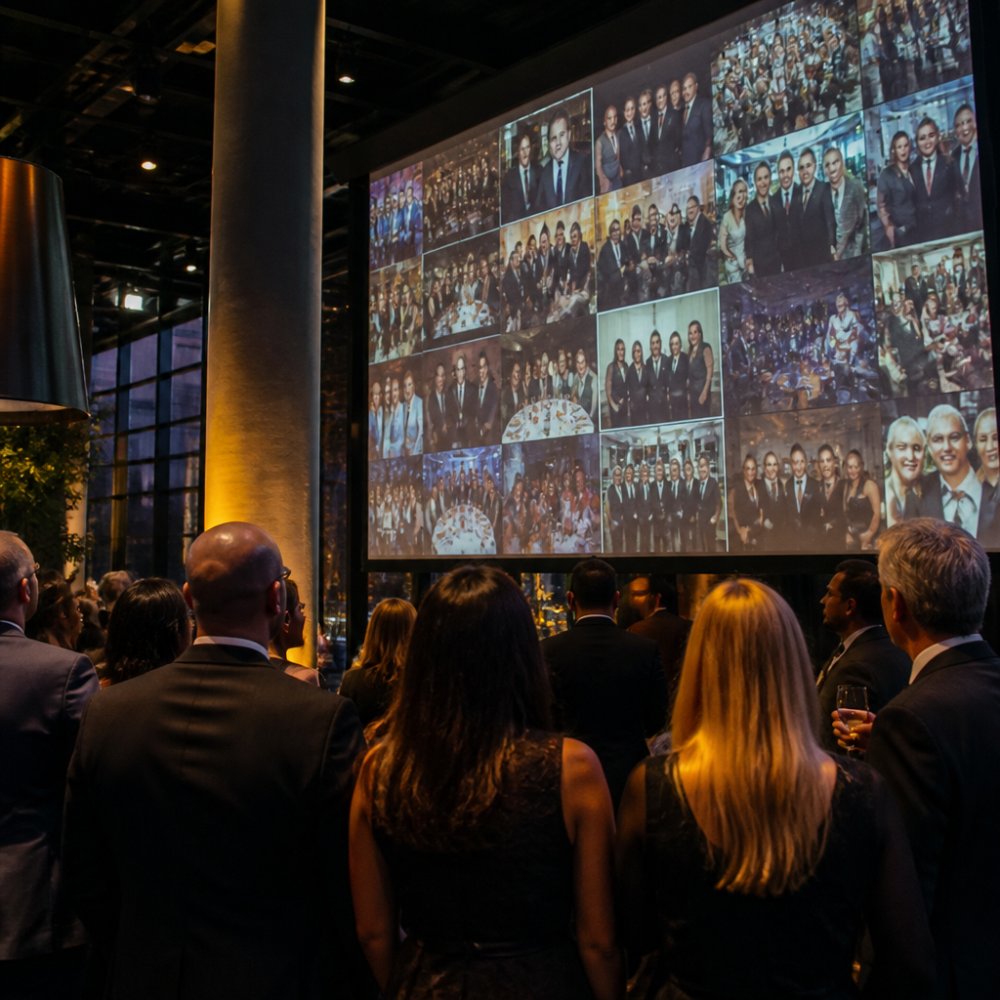
Projector, Screen, and Cable Checklist
Work through this before the event, not on the day:
- Confirm projector brightness in lumens against venue ambient light
- Measure throw distance against the screen size you actually booked
- Bring HDMI and DisplayPort cables at 5 m and 10 m lengths
- Pack a USB-C to HDMI adapter for laptops without full-size ports
- Test the venue Wi-Fi upload speed with a phone, not a laptop
- Set up a wired backup connection for the display machine
- Assign one person to own the display laptop for the whole event
A common mistake is assuming venue Wi-Fi will handle a room full of phones uploading simultaneously. It often won’t. If the venue can’t guarantee upload bandwidth, run the gallery on a dedicated mobile hotspot and keep the display machine wired to it.
The thing nobody tells you about projection: keystone correction eats resolution. Angle the projector straight at the screen whenever the room allows it.
Interactive Digital Photo Walls That Keep Guests Engaged
Interactive digital photo walls turn the display into a touchpoint rather than a broadcast. Guests walk up, browse the live gallery, react to photos, and often upload more because they can see the result immediately.
These setups typically run on a large touchscreen or a projected surface paired with a tablet control station. The engagement comes from the loop: see a photo, find yourself, share another one.
Where this method falls short is staffing. Interactive walls invite browsing, and browsing invites the occasional photo nobody wants on a corporate screen. Automated moderation filters most of it, but a human reviewer still catches the edge cases.
For branded events, the wall is prime real estate. Company colours, logo placement, and a custom frame around each image reinforce brand visibility without turning the screen into a billboard. A mobile-first interface for the upload side keeps the guest experience simple while the wall handles the spectacle.
Don’t run an interactive wall without a moderation queue. One unapproved photo on a corporate screen creates a problem that no apology fixes.
QR Code Photo Sharing: The Fastest Route from Phone to Screen
QR code photo sharing is the lowest-friction upload method available: guests scan a code, a browser opens, they select photos, and the images land in the shared gallery. No app install, no sign-up, no password.
The realistic question is how many guests will actually do it. In practice, a clearly placed code with a one-line instruction gets far more participation than a code buried in a programme. Put it on the table cards, the welcome screen, and the signage near the bar.
A few practical rules make QR flows work:
- Print codes at minimum 3 cm square so phone cameras lock on quickly
- Test the code on three different phones before printing 200 cards
- Keep the upload page under two taps from scan to submit
- Show a confirmation screen so guests know it worked
The official QR code standard documentation behind these codes is worth understanding if you’re generating them yourself, since error-correction levels affect how much damage a printed code can take before it stops scanning.
Cloud storage handles the rest. Photos upload straight to the gallery, metadata stays attached, and the display pulls from the same source. That single source of truth is what separates a smooth event from a frantic one.
GDPR Compliance for Event Photography: What Organisers Must Know
GDPR compliance for event photography is not a sign at the door. It is a documented processing operation with a lawful basis, a retention schedule, a processor chain, and a route for guests to exercise their rights. Organisers who treat it as a poster get caught out the first time someone asks for their photo to be deleted mid-event.
The regulation that applies is the EU General Data Protection Regulation, as supplemented in Germany by the Federal Data Protection Act (BDSG). Event photography usually involves two overlapping roles: the organiser is the controller, and any gallery, moderation, or hosting platform is a processor acting on the organiser’s instructions. That distinction determines who is liable when something goes wrong.
Pick a Lawful Basis Before You Pick a Camera
Consent is the most common basis for event photography, but it is not the only one and it is not always the best one. Legitimate interests can cover general atmosphere shots where guests are incidental to the scene, provided you have done and documented a balancing test. Consent is the safer route when the photos are the point, a photo wall, a branded gallery, a slideshow, because the guest is the subject, not background.
If you rely on consent, it must be freely given, specific, informed, and unambiguous. A blanket sign at registration is weak. A short notice plus an active opt-in at the point of upload is defensible. Keep a record of who opted in and when.
Retention, Access, and the Rights Guests Actually Have
Build these into the event plan before the first guest arrives:
- A defined retention period, written down before the event. A common pattern is 30 to 90 days for the live gallery, with a separate longer window only for photos the organiser has a documented reason to keep.
- A deletion routine that actually runs. A retention policy nobody executes is worse than no policy, because it looks like intent.
- A named contact and a working email address for access, correction, and erasure requests. Under GDPR these must be answered within one month.
- Role-based access so only approved staff can view, moderate, or export the gallery.
- A data processing agreement (DPA) with every platform in the chain, gallery host, moderation tool, analytics provider, cloud storage.
Transfers, Sub-Processors, and the German Regulator Layer
If any part of the gallery sits on servers outside the EU/EEA, you need a transfer mechanism in place before the event. Standard contractual clauses are the usual route, and for US-based providers you also need to check whether the provider is covered by the EU-US Data Privacy Framework. This is not a detail you can sort out after a complaint.
Sub-processors matter too. If your gallery platform uses a third-party moderation engine or a CDN, those are sub-processors and they need to be listed in the DPA. Ask for the current sub-processor list before you sign, not after.
The GDPR information from the European Commission sets out the underlying principles. The German Federal Commissioner for Data Protection guidance covers how they apply in practice, and the state data protection authority directory is where you find the supervisory authority for your federal state, since event documentation is handled at state level in Germany.
Image Rights Are a Separate Question from Data Protection
GDPR governs personal data. Copyright governs the photo itself. Guests own the photos they take unless their contract of employment or a venue policy says otherwise. Your event terms should cover display, internal use, and marketing use separately, because consent for one is not consent for the others. If you plan to use guest photos in next year’s campaign, say so at the point of upload and get a separate tick.
Consent, retention, access control, processor contracts, and transfer mechanisms are the five GDPR pillars for event photography. Miss any one and the gallery becomes a liability rather than an asset.
AI Moderation, Analytics, and Post-Event ROI Measurement
Automated moderation and event analytics are what turn a photo display from a nice extra into something you can defend in a budget meeting. But most guides stop at „track uploads“ and „use AI to filter.“ The useful version is more specific: know what the moderation model actually catches, know what it misses, and know which numbers map to the business outcome you were funded for.
What AI Moderation Actually Does, and Where It Fails
A modern moderation pipeline runs in two passes. The first pass is automated: image classifiers score each upload for nudity, violence, logos, text, and faces, and a rules layer rejects anything above a threshold. The second pass is human: a reviewer sees only the borderline cases, which is typically a small fraction of total uploads.
The failure modes are predictable. Automated filters are weak on context, a photo of a guest holding a glass of red wine can trip a violence classifier, and a branded lanyard can trip a logo filter. They are also weak on tone: a joke photo that reads fine in the room can read badly on a corporate screen. That is why the human review queue is not optional, and why the threshold should be tuned to the event, not left at default.
For corporate events with sensitive content, product launches, M&A announcements, anything under embargo, add a keyword and text-detection layer on top of the image classifier. A photo of a whiteboard in the background is a bigger risk than a photo of a guest.
The Metrics That Actually Map to ROI
Upload volume alone tells you nothing. The numbers worth tracking are the ones that connect to why the event was funded:
- Participation rate, unique uploaders divided by total attendees. A healthy corporate event usually lands in the 25-45% range; below 15% suggests the upload flow is too friction-heavy.
- Uploads per hour, shows when engagement peaks, which tells you when to schedule the slideshow and when to staff the moderation queue.
- Gallery dwell time, average time guests spend browsing. This is the closest proxy you have to attention, and it is the number sponsors care about.
- Return visits, guests who come back to the gallery after the event. This is where post-event value lives.
- Lead capture rate, if the gallery gates downloads behind an email or opt-in, this is your lead-generation number, and it is the one that survives a CFO review.
Pick the metric before the event and track it consistently. A recruitment event measures cost-per-qualified-candidate; a product launch measures content reach and share rate; a partner dinner measures relationship depth, which is harder to quantify and should be stated as such rather than faked with a vanity number.
Turning the Gallery into a Post-Event Asset
The display ends when the room empties. The gallery does not have to. A searchable, well-organised gallery that stays live for 60-90 days keeps delivering value: attendees return to download their own photos, marketing gets a bank of authentic event imagery, and sales gets a warm touchpoint for follow-up.
Organise it deliberately. Tag by session, speaker, or sponsor so the gallery is searchable. Offer original-quality downloads rather than compressed previews, because a guest who downloads a low-resolution file will not come back. And send one follow-up email with a direct link, not a newsletter signup, within 48 hours, while the event is still fresh.
guidance on data protection impact assessments is worth reviewing if your analytics involve profiling or large-scale image processing, since a DPIA is expected when processing is systematic and on a large scale.
Corporate events where the photo display is funded as a marketing or lead-generation activity, and where the organiser needs to report back on participation, reach, and follow-up performance, not just show that a slideshow ran.
Accessibility, Branding, and Inclusivity in Photo Displays
Accessibility is the angle most event guides skip entirely, and it’s where a display either includes everyone or quietly excludes them. Alt text on gallery images, high-contrast interfaces, and captions on any video content are baseline requirements, not extras.
Screen height matters more than most organisers realise. A display positioned for standing guests leaves wheelchair users staring at the underside of a frame. Set the primary viewing zone at a height that works seated and standing.
Branding should support the content, not compete with it. A restrained frame, consistent colour use, and logo placement that doesn’t cover faces will look better in every photo guests take of the screen itself.
Inclusivity also means language. If your guest list is mixed, run key instructions in more than one language, and keep the upload flow free of jargon.
Events with mixed-ability guest lists and multi-language audiences, where the display needs to work for everyone in the room, not just the front row.
Conclusion
The hardest part of displaying guest photos isn’t the projector or the screen. It’s building a workflow where uploads, moderation, consent, and display all run from one source without anyone chasing cables at midnight.
Frequently Asked Questions
How can I display guest photos in real-time at a corporate event?
Use a cloud-based gallery with a QR code that guests scan to upload photos directly from their phones. The gallery then feeds a live slideshow or projection screen. This guest photo display approach works without app downloads, so participation stays high. For reliability, test your upload path and screen connection on site before doors open, and keep a backup device ready.
What are the best digital tools for corporate event photo sharing?
Look for tools that combine QR code upload, automated moderation, and cloud storage in one workflow. A mobile-first interface matters because most guests upload from phones. Check that the provider hosts data on servers in the EU and documents its GDPR compliance.
How do I ensure data privacy when displaying guest photos at events?
GDPR compliance for event photography starts with clear consent. Inform guests at registration or on signage that photos will be collected and displayed, and give them a way to opt out. Choose a provider that stores images on EU servers, limits staff access, and deletes data after an agreed retention period. Avoid platforms that claim rights to reuse your images for marketing without written permission.
What equipment is needed for live photo projection at corporate functions?
You need a projector or large screen with at least 3000 lumens for a lit room, a laptop or media player connected to the gallery, and stable Wi-Fi for uploads. HDMI or USB-C cabling plus a backup adapter prevents last-minute issues. For interactive digital photo walls, add a touchscreen or tablet kiosk. Test the full chain, from guest upload to screen refresh, during setup.
Getting guest photos onto a screen is easy. Getting them there securely, legally, and without a dedicated AV team is the part that separates a polished event from a stressful one. Kameratalk gives you QR uploads, AI-assisted moderation, GDPR-compliant hosting, and a real-time gallery that works with the screen you already have. Start for free and run your next event on a workflow you don’t have to babysit.